
When on a website, people automatically expect it to be easy to navigate, visually appealing, clear, and accessible to everyone, no matter the ability or device. If the website appears to be slow or confusing, users will leave it immediately, with no hesitation. This is why usability and accessibility are so important.
Usability is how easily a person can move about a website, whereas accessibility makes sure that users who have any sort of disability can navigate and understand the content easily within the website. With both of these together, they create a positive user experience that benefits both the user and the business or creator of the site. In this post, we’ll explain what usability and accessibility are, why they matter, and how you can improve both if you’re a website owner.
What is Usability?
Usability is how easy and intuitive a website is for a user. Having a usable website lets people find all the information they need quickly, complete tasks efficiently, and navigate without any stress.
How do you know if your website has good usability?
These are a few key factors of good usability:
- Clear navigation menus
- Consistent layouts
- Readable appropriate fonts
- No contrasting colors
- Fast loading times
- Has a design that works for all devices
When a website appears to have poor usability, people will struggle to understand where to go and how to move through your site. This can then result in low engagement and high bounce rates. If a website has appropriate usability, it will encourage its visitors to stay longer and return in the future.
What is Accessibility?
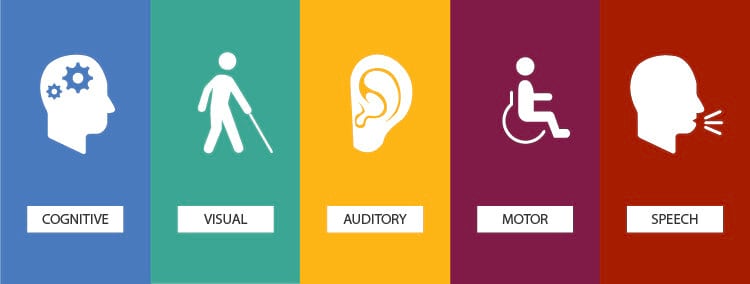
Accessibility is when a website is usable for people with disabilities. Disabilities such as visual, auditory, motor, and cognitive. Web accessibility makes sure that all users can access the content, regardless of how they interact with the internet.
Examples of an accessible design would include:
- Alternative text for images
- Appropriate color contrast
- Keyboard friendly navigation
- Clear headings and content
Accessibility is an essential key factor of creating an inclusive website, and more importantly, for legal reasons. It’s not just a nice feature to add on, but a crucial thing in web design. Along with being able to support users with disabilities, being accessible also improves the usability for everyone. According to The University of North Carolina at Greensboro, features like captions, transcripts, adjustable brightness, and keyboard navigation will help make the website much more usable and easy to understand in different user situations.
Why Usability and Accessibility Matter
Usability and accessibility both help each other out and work together to improve the overall user experience on a site. When a website is accessible, it will become way more usable for everyone. An example is when captions are added to videos. It not only helps those who are deaf or hard of hearing, but it also helps those who are watching without sound.
Search engines also really like it when websites focus on accessibility and usability. Having features like alternative text and structured headings helps get the website more noticeable.
Accessibility is also becoming increasingly important from a business point of view. According to Forbes, web accessibility ensures that people with physical, sensory, and cognitive disabilities are able to access the same information and services as everyone else. Because such a large amount of our population deals with some sort of disability to some degree, inclusive web design helps to remove digital barriers and allow equal access. Making sure you have accessibility and usability not only includes everyone, but it also allows businesses to reach a wider audience and build trust with them.
Ways to Improve Usability and Accessibility
Making sure your usability and accessibility are up to date doesn’t have to be a stressful thing. Small changes can make a huge impact.
These changes can be things like:
- Using clear and descriptive headings
- Writing east to read content
- Adding in alt text to images
- Making sure all buttons easily click
- Testing your website on different devices
You can easily check your usability and accessibility through checkers. These sites can provide you with what you have right and what you might be missing.
Conclusion
Usability and accessibility are essential parts of an effective web design. Having a website that is easy to use and accessible for all creates an overall better experience and can give you long term support. By focusing on a few of the tips listed above, any website owner can confidently welcome everyone to their site without worry. Investing in usability and accessibility is not just something good to do, it’s simply good design.